Tutorials · Blocks, ZIPs and neighborhoods
Block pages and street frontage
Everything on one tax block or one stretch of street — the lots, owners, sales, storefronts, permits and distress — with every count opening its rows.
A block page shows a whole block at once: every lot on it, who holds them, what sold and for how much, the storefronts and businesses, construction, and which buildings are in trouble. Use it to size up a block before you knock on doors, or to see a building in the context of its neighbors.
A tax block is the Department of Finance's block, the middle part of a BBL (the borough-block-lot number that identifies a tax lot). Most tax blocks are one block on the ground. Some cover several separate city blocks; the page then lists them, and each has its own page.
Getting there
- From a property page. In the header, the Block number is a link. Further down, the On this block card has Open the block page →, Street frontage → and, near a corner, Intersection: … → buttons.
- From search. Type a borough and a block number, such as "Queens 1860" or "4-1860". Matches appear under Blocks, each with a street frontage link.
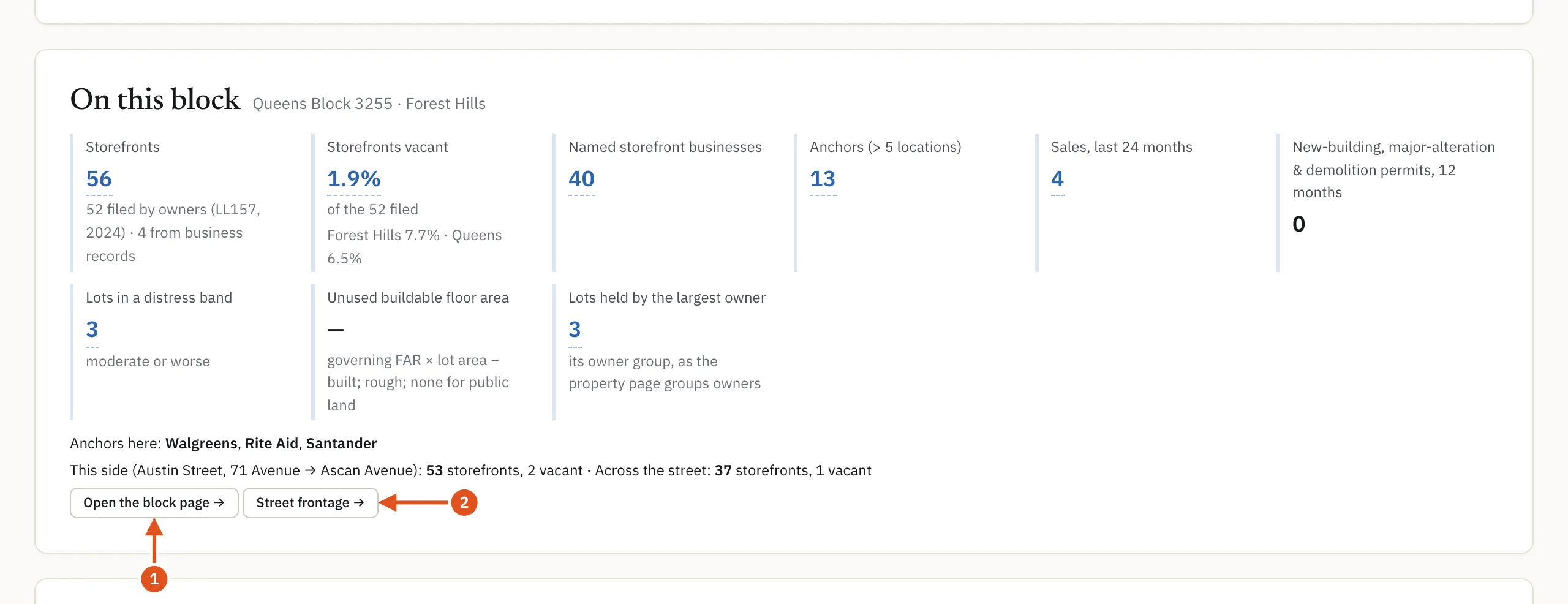
- Opens the block page
- This side and across the street
Two views: the block and the street
The switch under the title moves between two pages:
- Tax block: everything on the block, with every street that bounds it listed under the title.
- Street frontage · this side and across the street: the lots on your building's side of the street, between two cross streets, together with the lots facing them. This is the view for storefront work: the shops across the street matter as much as the ones next door.
An intersection page covers the corner blocks around one crossing. Its The corners card lists each corner's tax block, the streets it fronts, its lots and storefronts.
Reading the page
Search this block
A ready-made deal search over the block's lots, with presets such as vacant storefronts or under-built corners and a count on each. See Deal search.
Map
The block's lots drawn on the City tax map, with the building you came from filled in. Colour lots by recolors them: Area, Land use, Storefront vacancy, Distress band, Last sale, Owner group, Unused FAR and Soft sites & assemblage. Hover a lot for its address and value; click to open it.
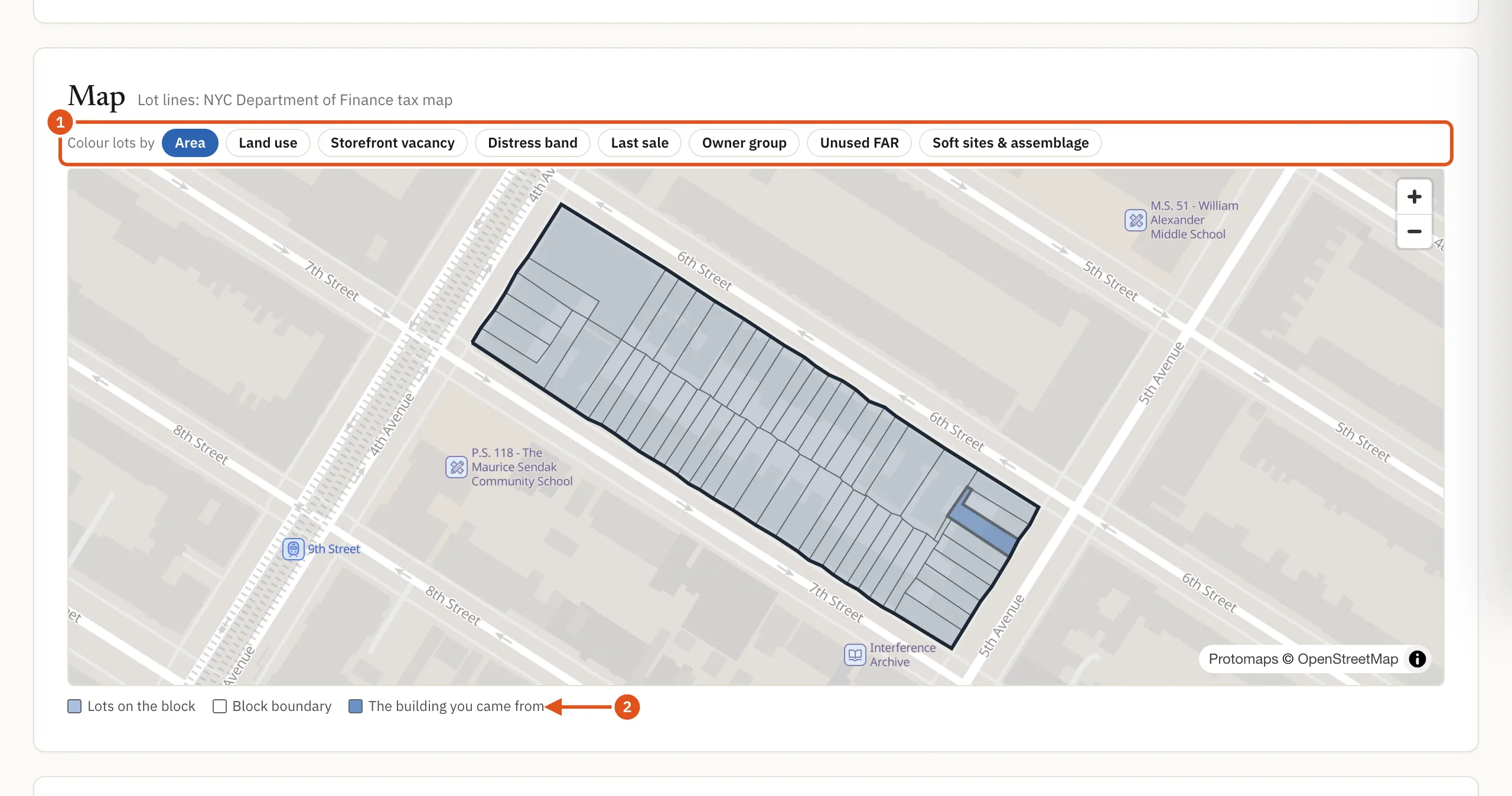
- Pick a layer
- Your starting building
In numbers
This block in numbers gives the block's lots, buildings, floor area, units, storefronts and vacancy, anchor brands, sales and median price per square foot over 24 months, assessed value, open violations, lots in a distress band, recent major permits, unused buildable floor area and lots held by the largest owner. Storefront vacancy is compared with the neighborhood and the borough.
Street frontage
For each street, the lots, storefronts and vacant storefronts on this side and across the street. A street name opens that block face (one side of the street, between two cross streets) on its own page, and both sides of this segment opens both sides together.
Commercial space
Storefronts as the owners filed them with the City, a vacancy trend, the Businesses on record here (brands with many locations marked anchor), the Category mix, pending licence applications, reported Lease expirations and Recorded leases. See Businesses and leases.
Sales, ownership, distress and development
Sales lists every deed on the block's lots with price, price per square foot, buyer and seller, plus long holds and recent mortgages. Ownership shows who holds each lot now. Liens, distress and legal lists the lots in a distress band or on a lien, litigation or vacate record. Development potential covers zoning, unused floor area, soft sites and assemblage candidates.
Construction & permits
Department of Buildings (DOB) jobs: new buildings, major alterations and demolitions with a first permit in 12 and 36 months, jobs in progress, certificates of occupancy, after-hours work variances, city projects, stalled sites and facade inspections.
All lots
One row per lot: address, class, owner, units, floor area, year built, last sale and price, storefronts, distress band, unused floor area and open violations. Click a column heading to sort.
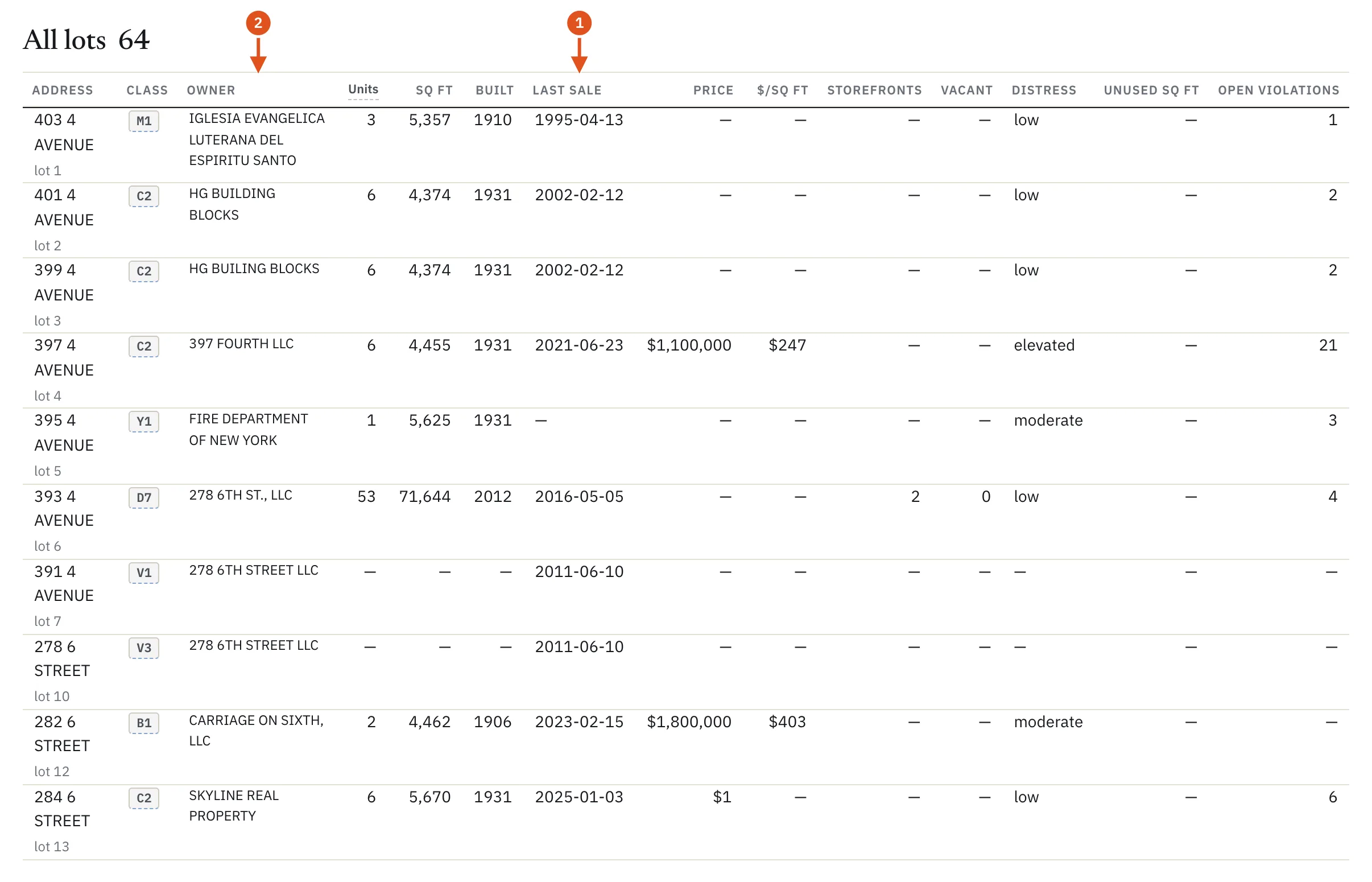
- Click to sort
- Who holds each lot
Every count opens its rows
When you are signed in, the numbers on a block page are buttons. Click one, such as Open violations or a permits count, and the rows behind it open in a side drawer, each linking to its building or DOB job. The drawers come with the page: they work for any area you opened this month, and the block's drawers also open from the On this block card of a building you opened on that block.
What you see without signing in
The block page is public. Without an account, or on a free account, you see the counts, the public tax-lot figures, the street frontage table and the map's lot outlines. Sales, prices, violations and distress show as dots, no lot, owner or business is named, and nothing opens. A plan shows the rest.
Opening a block page counts as one report against your monthly allowance. Its city blocks, and arriving from different buildings, count as the same report, and the street frontage chooser is free. See Plans and billing.