Tutorials · Blocks, ZIPs and neighborhoods
Census tract and neighborhood pages
The ZIP page's figures, map and block rankings for a census tract or one of the City's planning neighborhoods.
ZIP codes follow mail routes, and their edges can cut a neighborhood in half. BlockLot also builds the same area page for two geographies drawn for statistics and planning: the census tract and the neighborhood. Use them when you want figures for the area people actually mean, or when you need to line BlockLot's numbers up with census or City planning data.
What a census tract is
A census tract is a small area drawn by the US Census Bureau for counting people, usually a few thousand residents and, in New York City, often a handful of blocks. BlockLot uses the 2020 tracts.
Each tract has an 11-digit code: 36 for New York State, three digits for the county (005 the Bronx, 047 Brooklyn, 061 Manhattan, 081 Queens, 085 Staten Island) and six for the tract. The page title turns that into the tract's own number and borough, such as "Census tract 7 · Manhattan". Tract numbers repeat from borough to borough, which is why the county is part of the code.
What a neighborhood is here
BlockLot's neighborhood pages use the City Department of City Planning's Neighborhood Tabulation Areas (NTAs): the 2020 set, built from whole census tracts and given familiar neighborhood names. Each has a short code made of the borough's two letters and four digits, such as BK0101. City Planning drew them for statistics, and it says itself that they are not official neighborhood boundaries, so a name you know may cover a slightly different area here.
Getting there
- Neighborhoods are linked from every ZIP page and census tract page: the neighborhood names under the title each open their page. See ZIP code pages.
- Census tracts are not linked from other pages. The block page's header names the block's census tract, such as "census tract 76.01", and you can open that tract's page by its address:
/area/tract/followed by the 11-digit code. Write the tract number as six digits without the point (76.01 becomes 007601, 7 becomes 000700) and put 36 and the county code in front. - Either kind of page you opened recently is listed on your home page and your account page.
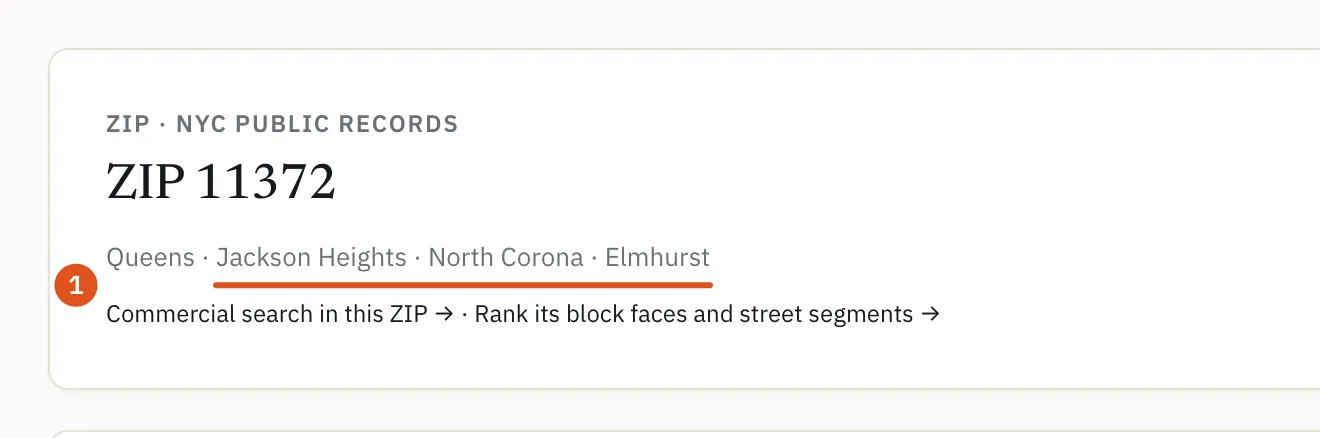
- Open a neighborhood
Reading the page
Both pages are laid out exactly like the ZIP page, so everything in ZIP code pages applies. In short:
- The header: the eyebrow reads Census tract or Neighbourhood, then the name, the borough and, on a tract page, the neighborhoods it falls in. A neighborhood page links to Commercial search in this neighbourhood →.
- Search this census tract or Search this neighbourhood: the deal search over every lot in the area. See Deal search.
- Map: the area's tax blocks, colored by the layer you choose; click one to open its block page.
- The figures: the area in numbers, Sales and ownership, Liens, distress and legal, Construction and development and On the street, each compared with the borough and the city where a benchmark exists. Signed in, click a number for the lots behind it.
- Trends and mix: yearly storefronts, prices and market values, and the mix of land use, building age, owner kind, zoning, facilities and expiring tax exemptions.
- The tax blocks list: every block in the area, ranked by the figure you pick, each opening its block page.
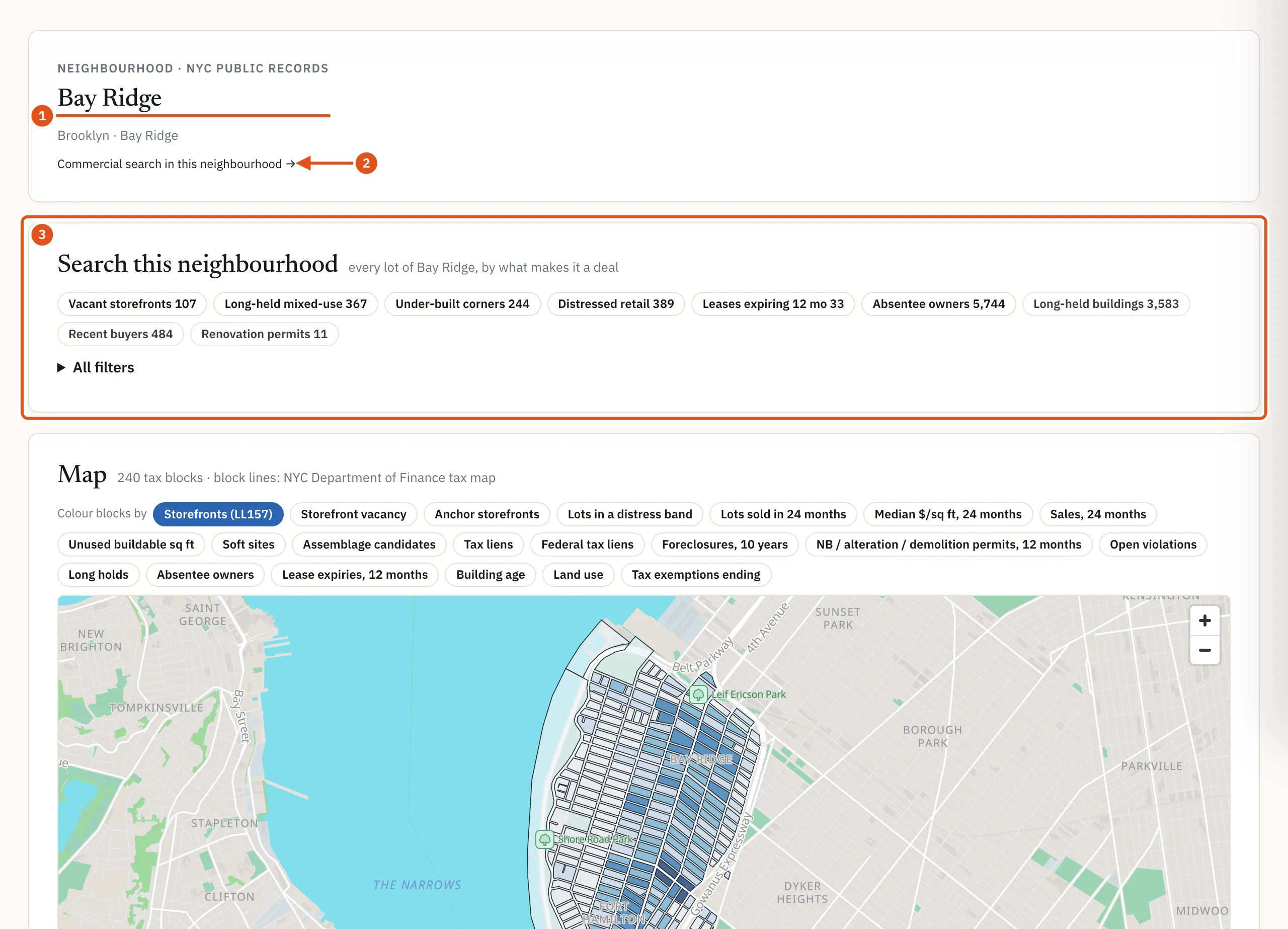
- A City planning neighborhood
- Search its businesses
- Deals in the area
Who can see it
These pages are public, like the ZIP page. Without an account, or on a free account, you see the public counts and the map; private figures such as sales, violations and distress are hidden, and the blocks are not ranked. Opening a tract or neighborhood page counts as one report against your monthly allowance, and opening it again in the same month does not count again. See Plans and billing.
Tips
- Compare a neighborhood with the ZIP codes it overlaps: the same figures on different boundaries often tell different stories.
- A tract is small enough that a single new building can move its figures. Check the rows behind a striking number before you rely on it.