Tutorials · Owners and companies
Business pages
One business — a shop, chain or office — and every building where public licence, registration and inspection records place it.
A business page follows one business across the city. It gathers the public licence, registration and inspection records that name it, and lists every building where those records place it, with the dates on record. Use it to see how many locations a chain has, where a tenant was before, or whether a name on a storefront is one operator or many.
Getting there
- From search. Sign in and type a business name. Matches appear under Businesses, with their category and how many buildings they are on record at.
- From a property page. In the Commercial tenants card, a business name that has a page is a link. See Businesses and leases.
- From a block or ZIP. Business names in the Commercial space section of a block page, and in the commercial search, link to their pages too.
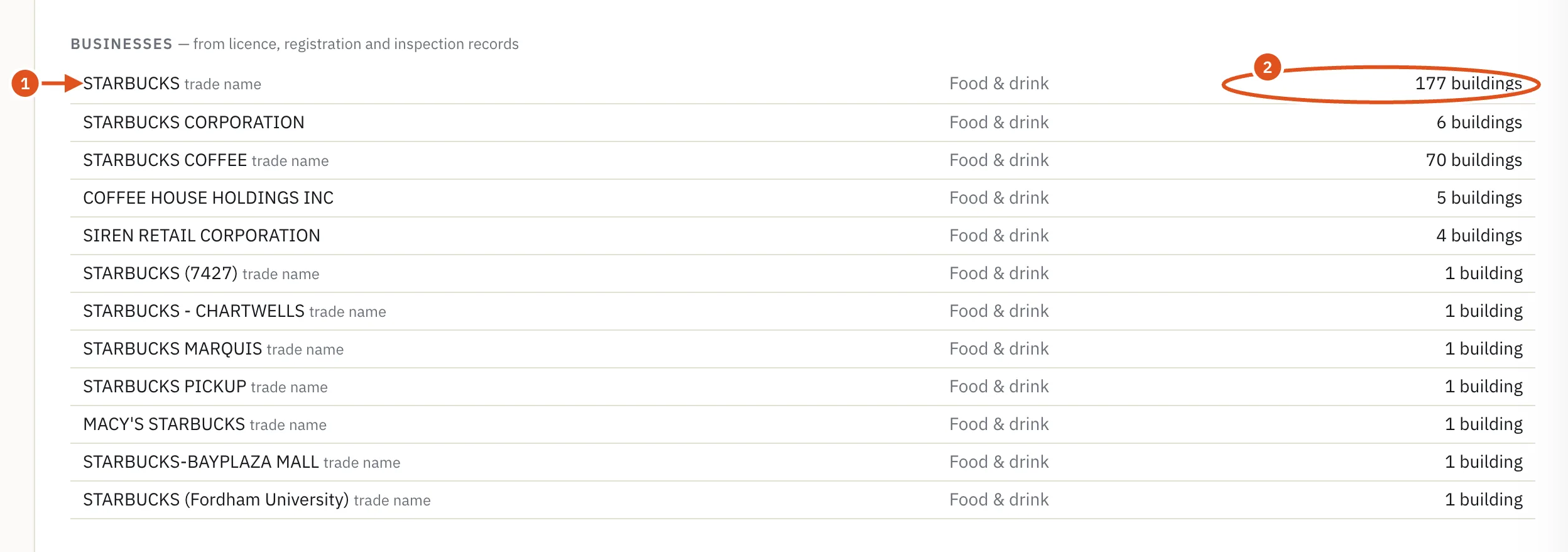
- Opens the business page
- Buildings on record
Reading the page
The header
The eyebrow reads Business · public licence, registration and inspection records. Under the name, one line gives the business's category, how many buildings it is on record at, and the first and last dates on record.
Then a sentence says how the records were grouped:
- Grouped by registered legal name: every record names the same registered business.
- Grouped by trade name only: the records carry no legal name, only the name on the sign. Franchises share trade names, so these may be different operators.
- Recorded at one building: a single location in the sources BlockLot reads.
Also recorded as lists other spellings and names found in the records, and Also listed under names any other categories. Sources shows a badge for each agency whose records name the business, with how many records each holds. Click a badge to see that source on the Sources & licences page.
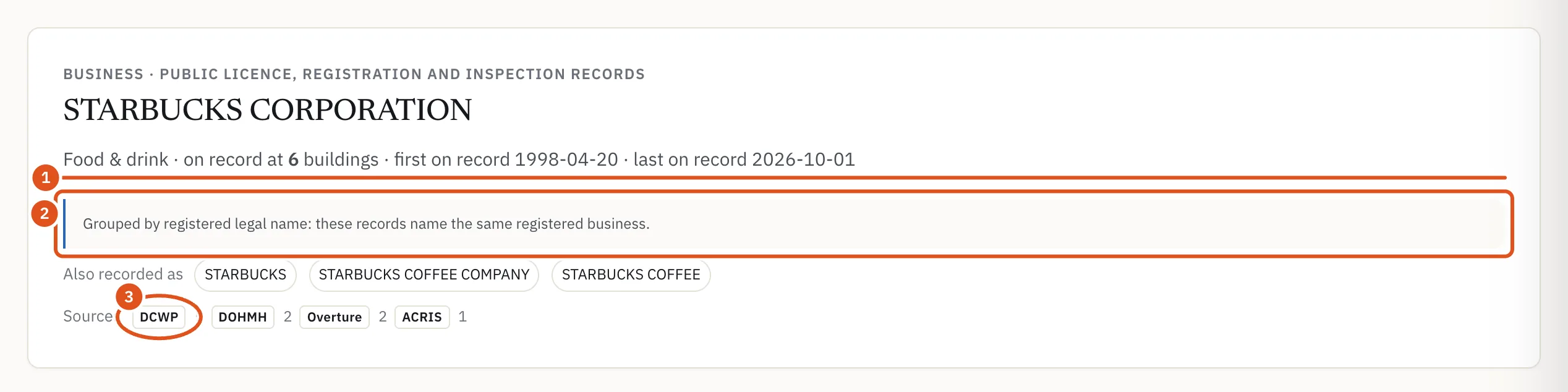
- Category and locations
- How records were grouped
- Opens the source
Buildings on record
The second card lists where public records place this business, each a dated record.
- On record holds the current records. Earlier records, folded underneath, holds records that have ended. If there are no current ones, the earlier records open by themselves.
- Each row shows the Building (which opens that property page's commercial tenants card, with the name used there if it differs), the Category, the Suite / floor where a record gives one, the Source badges, and the Dates on record: "on record since" and "last on record", or, for an ended record, why it is treated as ended.
- The row for the record you followed to get here is highlighted, so when you arrive from a property page, that building stands out.
- Very long lists show the first several hundred buildings and count the rest.
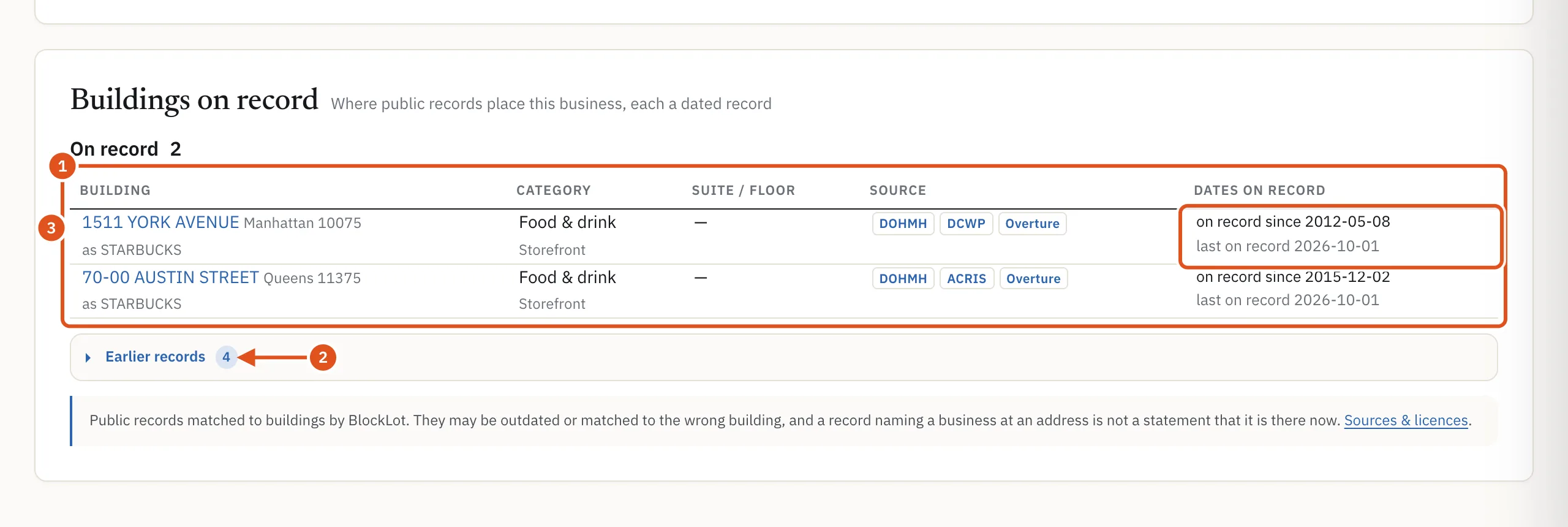
- Current records
- Ended records
- Since and last seen
What is never shown
- People. A person licensed or registered in their own name never gets a business page, and is never named in a business's list.
- Withheld records. Records withheld on request are counted in a line at the bottom and not listed.
- Homes. Records at what appears to be a home address are left out.
Who can see it
Business pages need an account, and business names are part of a plan. A free account sees the page with names and rows hidden, showing only how many records are current and how many are earlier. Opening a business page counts as one report against your monthly allowance; a chain is one report however many of its buildings you open it from, and opening it again in the same month does not count again. See Plans and billing.
Tips
- To find businesses by area, category or lease expiry rather than by name, use the commercial search. See Commercial search.
- A single shop under a common trade name may share its page with unrelated businesses. Check the grouping sentence before you count locations.