Commercial search
Search storefronts, offices, the businesses and brands on record, reported lease expiries and new applications by place, and rank blocks and corridors.
Commercial search answers questions about a neighborhood's commercial space: which buildings have storefronts, which stand vacant, which brands are on a corridor, which leases are reported to end soon and which businesses have applied to open. You name a place, and six tabs show it from different angles.
Getting there
Choose Commercial search from the Prospecting menu in the header. It opens on New York City. ZIP and neighborhood pages also link to it for their own area.
Older links to the Leases expiring list still work: they open the Leases expiring tab of this page with the same filters.
Choosing a place
Type into the Where box and press Search. It understands:
- the whole city, or a borough by name;
- a ZIP code;
- a neighborhood, by name or by its City Planning code;
- a tax block, written as a borough and a block number, such as "Queens" followed by the block;
- an address, or a BBL (the borough-block-lot number that identifies a tax lot);
- a stretch of street: the street name, then "between" two cross streets for one block, or "from" one cross street "to" another for a whole corridor. Add a side, such as "north side", to keep to one side of the street.
If what you typed matches more than one place (two neighborhoods with similar names, an address that exists in two boroughs, a street that meets the same cross street twice), a card headed Which one? lists them. Click the one you mean. If nothing matches, a sentence says so and suggests what to type. Nothing counts against your allowance until a place is chosen.
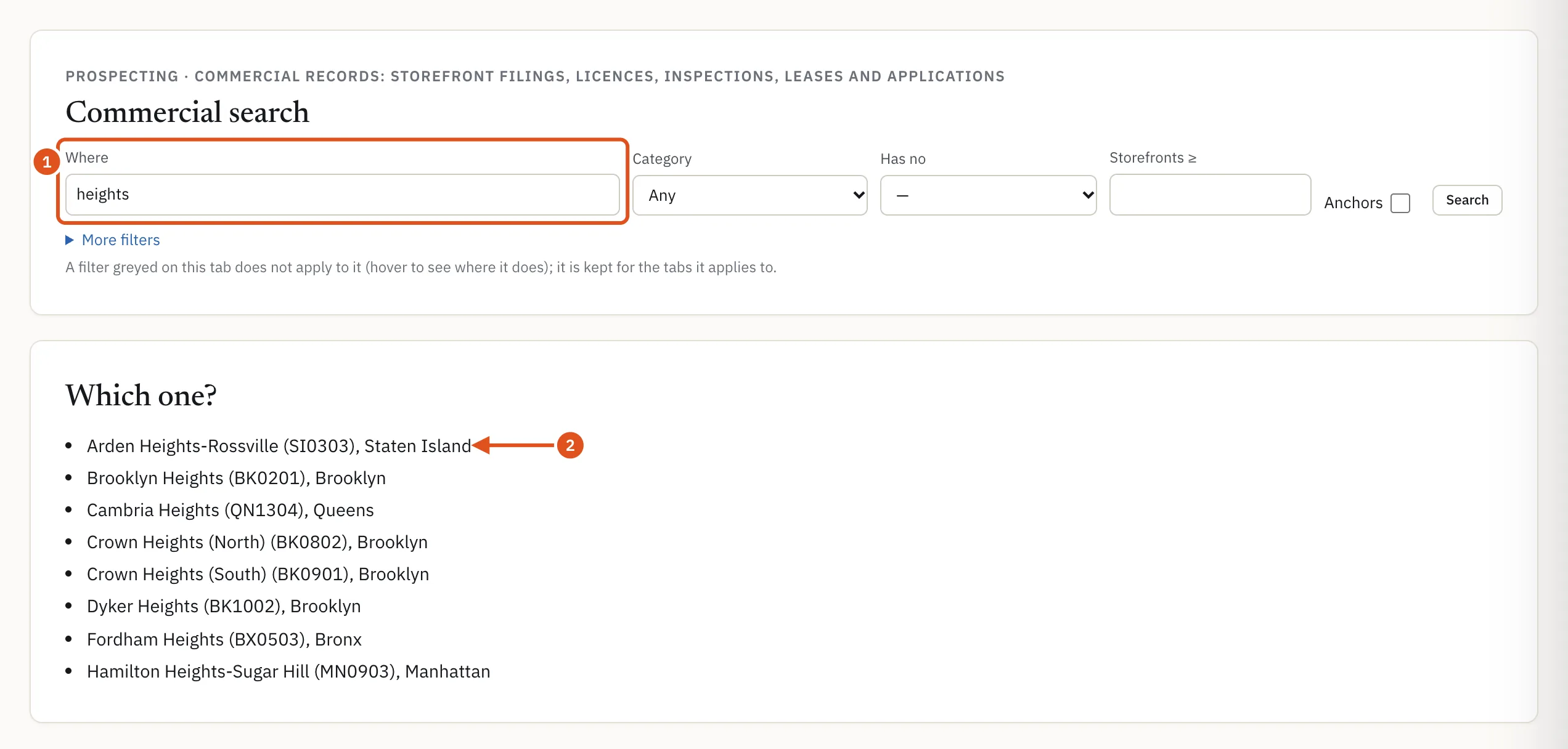
- What you typed
- Pick the place
The tabs
Once a place is chosen, a row of tabs appears, each with its count for that place:
- Buildings: buildings with commercial space, meaning storefronts filed by the owners, businesses on record or a reported lease expiry. Each row shows storefronts, how many the owner filed as vacant and for which year, the businesses on record, anchor brands, the next reported lease expiry, unused floor area and the last sale.
- Businesses: the businesses BlockLot's records place in the area (from licenses, registrations and inspections), with their brand, category, building and the date they are on record since. A private individual is counted, never named.
- Brands: the brands present, with their locations here and citywide. An anchor is a brand with more than five locations in BlockLot's records that is not a kiosk or an institution.
- Leases expiring: lease expiry dates as reported to the Department of Finance, for storefronts (from the owners' Local Law 157 filings) and for office leases in the City's commercial rent programs. Counts by month and by area come first, then each lease. Leases are renewed and ended early without any filing, so each date is a lead, not a fact.
- Arriving: pending applications for a liquor license or a new premises license in a storefront or office. An application is not an opening, and many are withdrawn or denied.
- Blocks & frontages: tax blocks, block faces or street segments ranked by a measure you choose with Rank and by, such as storefronts, vacancy rate, anchor share or lots sold in 24 months.
For the whole city or a borough, a table above the rows breaks the count down by borough or by neighborhood.
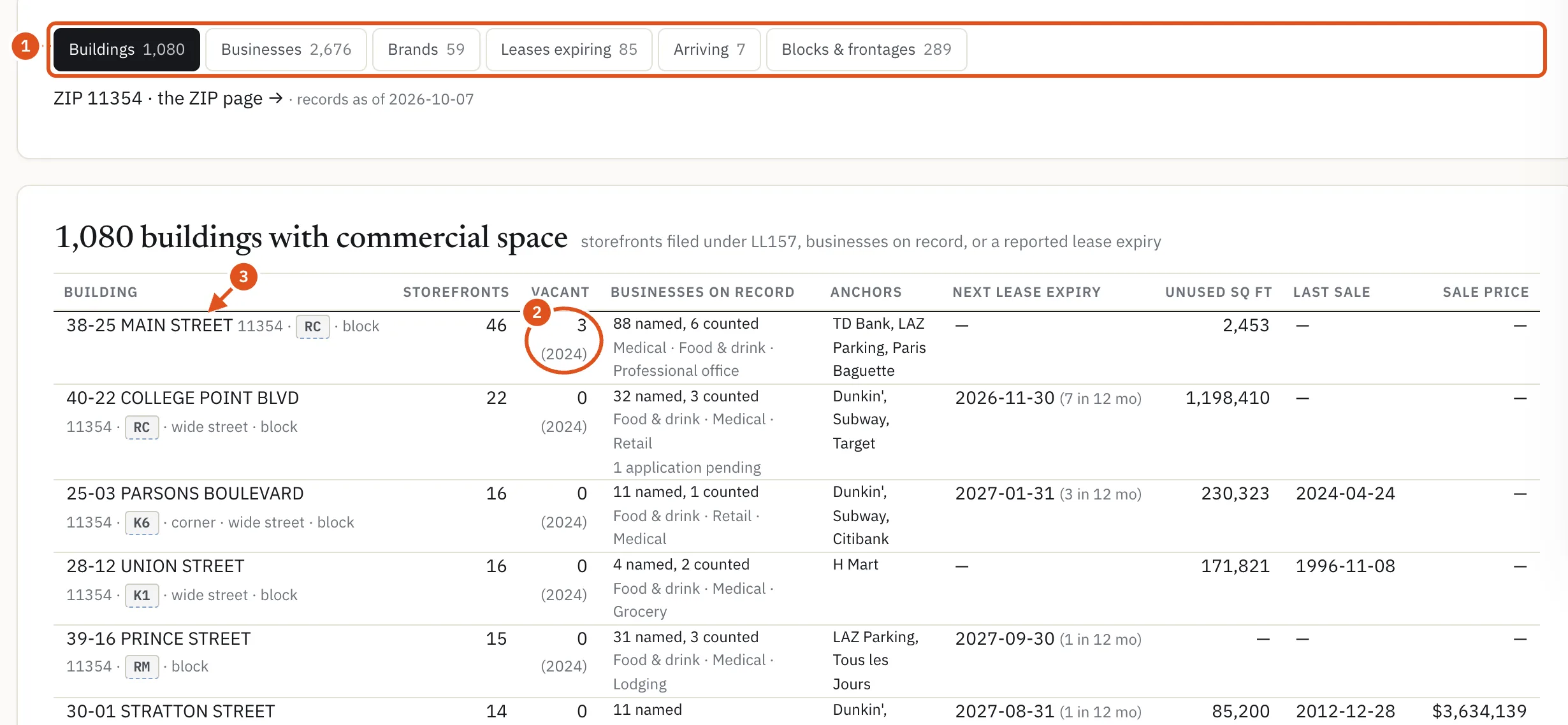
- Six views of one place
- Owner-reported vacancy
- Opens the building
Filters
The bar at the top carries Category, Has no (a category the place lacks), Storefronts ≥ and Anchors; More filters opens the rest, such as Vacant storefronts ≥, Building class, Corner lot, Name contains, Applied to, and Expiry from and Expiry to for leases. Each filter applies only to some tabs. A filter that does not apply to the tab you are on is greyed out; hover over it to see which tabs it applies to. It stays set for those tabs when you switch.
Who sees what
- Without an account you see the counts on every tab and the breakdown by area. The rows are not shown.
- Signed in with a plan, you see the rows. Each search, meaning a place plus a set of filters, counts as one report against your monthly allowance. Switching tabs, ranking, sorting and paging are free, and a lease list you already opened this period is not counted again.
- Business names show on plans that include them. Without that, rows and counts stay and the names are hidden, and the Name contains filter is not applied.
On the Leases expiring tab, a plan with lease alerts shows Alert me on this list for a city, borough, ZIP or neighborhood list; see Lease alerts.
Tips
- To find the storefronts on one corridor, type the street "from" one cross street "to" another, then open Buildings.
- The ZIP page maps a ZIP's blocks, and its Search this ZIP section runs the Deal search there.
- A worked example, from a corridor to the leases ending on it, is in Storefronts and expiring leases.